
Performance
45→180FPS
Found with the built-in profiler: every frame the game asked Windows about a gamepad. Physics and timers now run right at any refresh rate.
One file in the game folder instead of five mods. Stability, up to 180 FPS, your monitor's resolution and a full settings menu on F10.
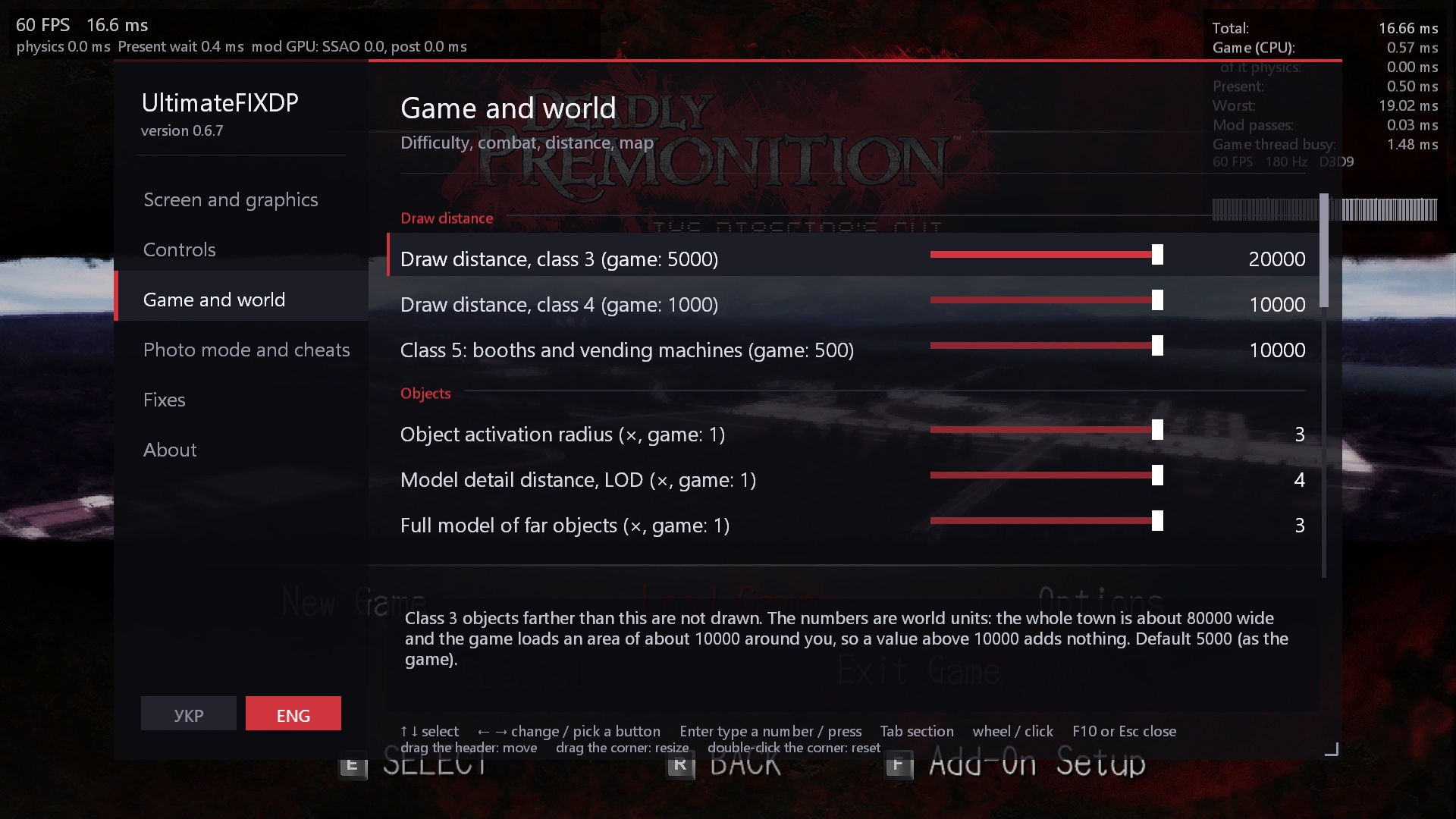
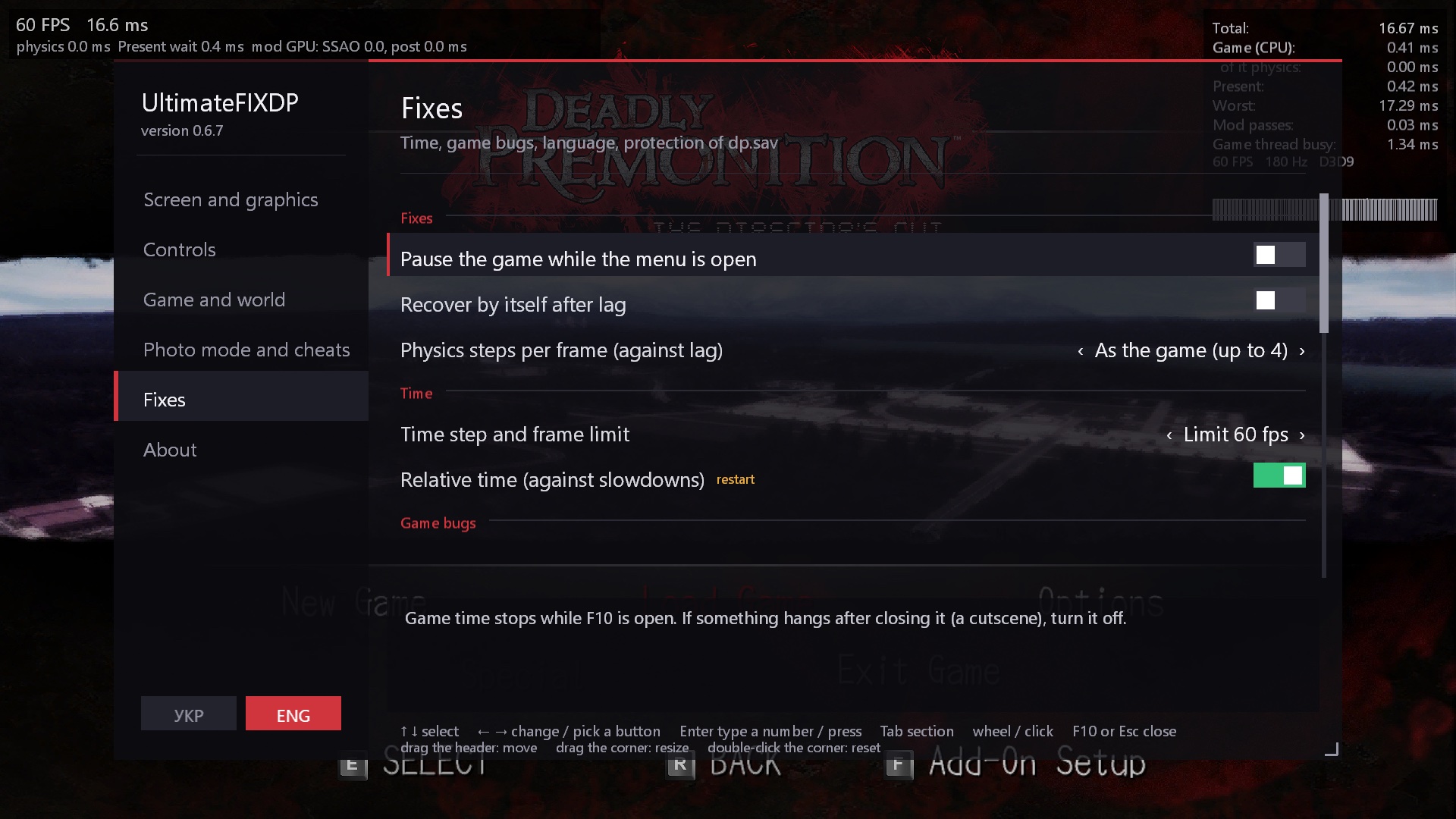
Try it: click a section on the left and the switches on the right.
Every fix comes from taking the game's code apart and comparing it with the Xbox 360 original.
Found with the built-in profiler: every frame the game asked Windows about a gamepad. Physics and timers now run right at any refresh rate.
No crash after cutscenes, no hang after Alt+Tab.
Each named by episode, chapter and play time.
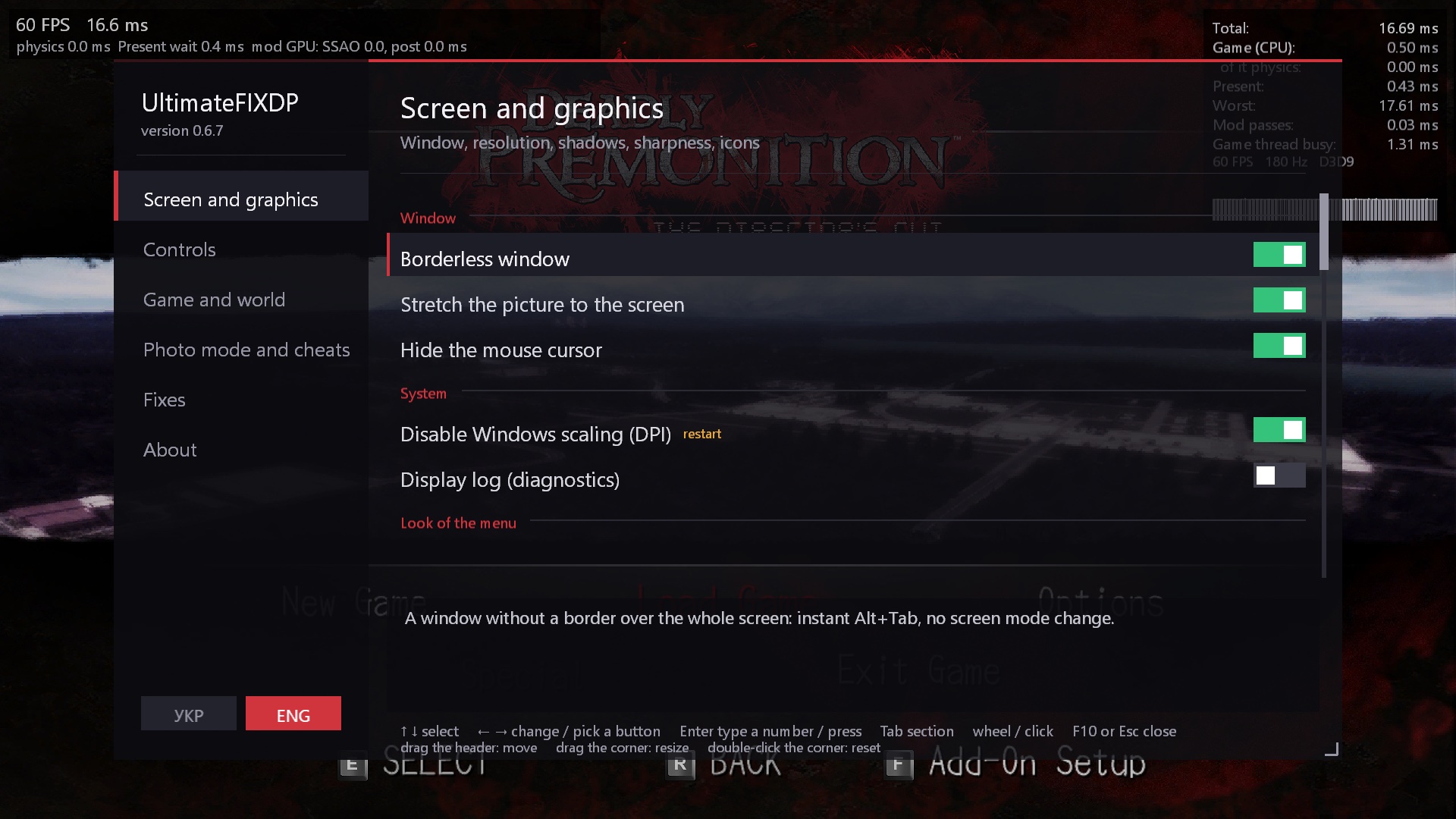
Your monitor's resolution, HBAO, SMAA, the Xbox 360 look, no flickering far away.
Put the game files into UltimateFix\mods\UA\ and switch the mod on in F10.
mods\
└─ UA\
   ├─ fontwide.xpc
   └─ mes_all.mes
Adaptive triggers for every weapon, without Steam Input.
The console's colour grading and TV gamma, compared with our own Xbox 360 recompilation, on top of the PC picture.
The full pause map with all 64 tiles, north up. F7 sets a waypoint that becomes the game's own objective, with its beacon and minimap arrows.
Where the story stands, side quests and where to go next by name. The live timetable of every resident of Greenvale.
Free camera, frozen time, 13 filters with grain, sepia, aberration and letterbox, your own presets, costumes, poses, PNG screenshots.
Frame statistics, a built-in profiler that found the 45 FPS bug, cheats (money, time, weather, ammo), mouse sensitivity and inversion.
Ukrainian and English, switched in the menu. One DLL, no installer: press F10 in game and everything is there.
Folders in UltimateFix\mods\, on/off and order in F10. Translations, texture packs, any game file by its name.
Depth precision, mipmaps for textures without them, steadier far shadows.
Horizon-based occlusion with a depth-aware blur, SMAA 1x, the console's grading and gamma.
The car and about 80 timers of the game run right at 120–180 FPS. FPS unlocked by default.
Episode, chapter, side quests, the next destination by name; every resident's timetable.
Field of view in play, the Xbox 360 quick turn, mouse speed 25–400 % and inversion per axis.
13 filters, grain, sepia, aberration, letterbox and four presets of your own.
No endless hang on a NaN angle, audio kept in memory, 60 backups named by episode and chapter.
Known issues: a light strip along some wall corners with HBAO, doubled depth-of-field edges at render scale 300 %, the X on the pause map drifts while the map pans.
Every fix comes from taking the game's code apart and comparing the PC port with the Xbox 360 original.
The game counted time from the Windows uptime in single-precision floats: after days without a reboot the frame time lost precision. The mod hands it a counter that starts with the game.
Every frame the game asked Windows about a WinMM gamepad, even with none connected, and on some systems that call takes milliseconds.
The play camera's near plane sat at 1.0, so the 24-bit depth buffer had almost no precision far away. At 20.0 far roads, roofs and decals stop fighting.
About 80 timers turned the frame time into whole ticks: above 120 FPS they stood still or ran double. They now share whole steps.
The port read the building list with a wrong byte-order key: 64 of 81 entries were misread and interiors got the wrong light.
An NPC sent to waypoint -1 read the navigation table out of bounds. Guarded at the lookup, together with a divide-by-zero freeze and a NaN hang.
Put a folder into UltimateFix\mods\ and switch it on in F10 → Mods. The game's files stay as they are: everything is replaced in memory.
Any file of the game's archives right in the mod folder: by its name when it is unique, or by its path (UPDATA\…). A .dds with an XPC's name replaces the picture inside it.
text\mes_all.json and glyphmap.json of the SWERY Localization Tool are laid over the game's text, record by record.
textures\<hash>.dds or .png, compatible with the packs for DPfix. [Debug] DumpTextures=1 dumps every texture named by its hash.
Deadly Premonition The Director's Cut\
├─ DP.exe
├─ X3DAudio1_7.dll        ← UltimateFIXDP
└─ UltimateFix\
   └─ mods\
      ├─ UA\
      │  ├─ fontwide.xpc
      │  └─ mes_all.mes
      └─ HD Textures\
         ├─ mod.ini
         └─ textures\
            └─ 1a2b3c4d.dds
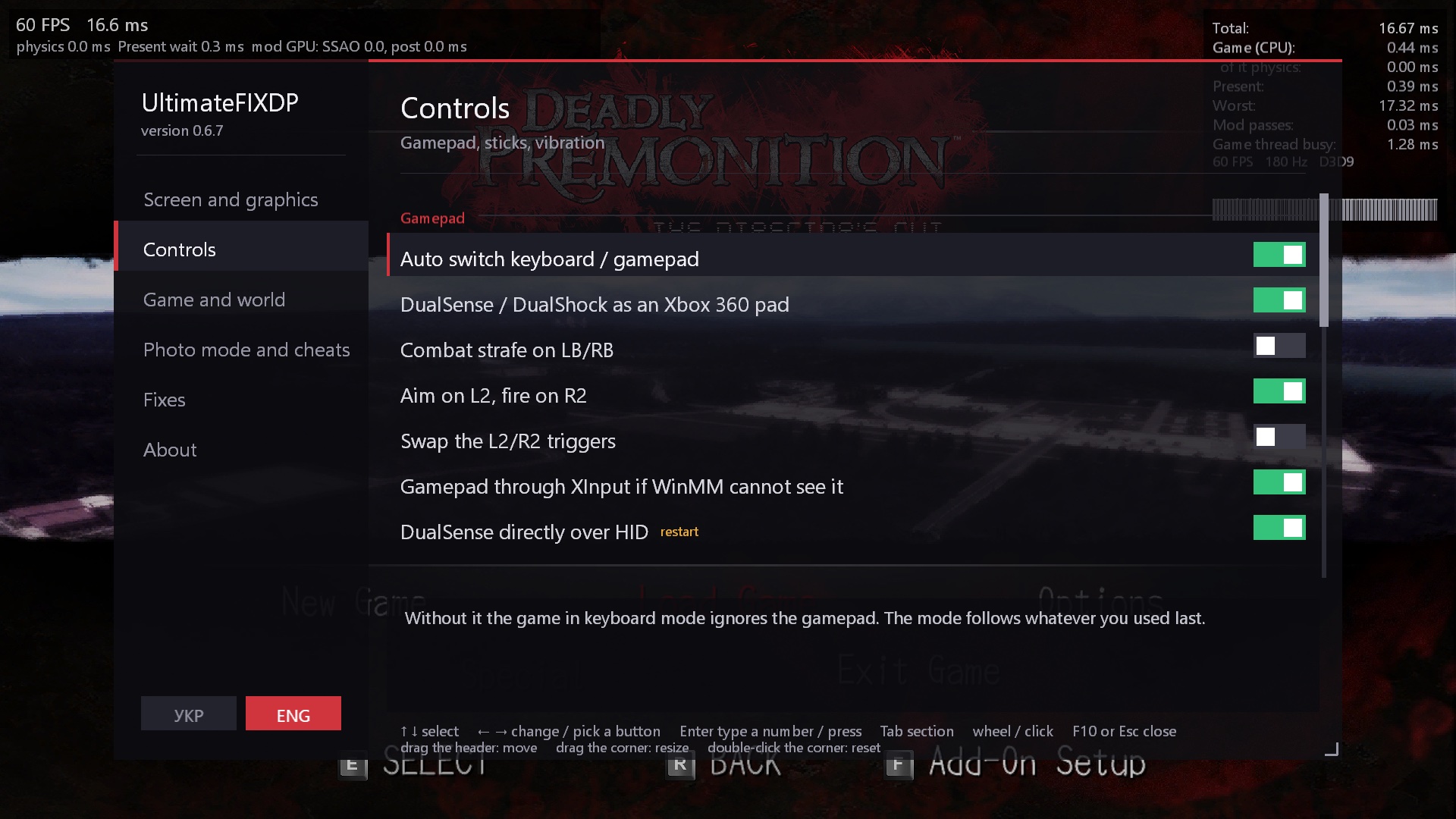
Take the latest UltimateFIXDP-*.zip from Releases and back up savedata\dp.sav.
Put X3DAudio1_7.dll and the UltimateFix folder next to DP.exe.
Start the game as usual and press F10. To remove the mod, delete the DLL.
Steam version 1.01b. Do not combine with DPfix, ZachFix or DPStabilityFix: UltimateFIXDP replaces them. For a DualSense turn Steam Input off for the game.
Yes. The mod writes dp.sav through a temporary file and keeps 60 backups in UltimateFix\savebackups, each named by episode, chapter and play time. A damaged save is restored from the newest good copy by itself. Still, back up your save before the first start.
The Steam version 1.01b of The Director's Cut. Every patch checks the game's bytes first: on another build it switches itself off and says so in ufx.log.
No, UltimateFIXDP replaces them. Remove DPfix (d3d9.dll, DPfix.ini) and the other fixes first.
Make a folder in UltimateFix\mods\ and put the game files there (fontwide.xpc, mes_all.mes), or the text\ folder of the SWERY Localization Tool. Switch it on in F10 → Mods and restart the game.
Turn Steam Input off for the game (Properties → Controller). Then the mod reads the DualSense directly over USB or Bluetooth.
UltimateFix\ufx.log and any crash_*.dmp / hang_*.dmp, through GitHub Issues or Telegram. Every feature can be switched off in F10; [Debug] SafeMode=1 starts with fewer hooks.
Delete X3DAudio1_7.dll from the game folder. Nothing else of the game is changed; to undo the 4 GB flag, put DP.exe.bak back as DP.exe or let Steam verify the files.
The code is our own (MIT). The ideas, facts and addresses came from earlier community work.
h714je
Research of the port, many ideas
Peter «Durante» Thoman
Resolution, shadows, texture replacement
Cesario67
Saves, timing, DualSense layout
Behelit09
Navigation crash, the full map, free camera
«Little Bit»
Our Xbox 360 recompilation: the reference the PC port is compared with
Kenney
Gamepad button icons (CC0)
🧪 Testers: Gold flin and Tree Fan. Thank you for playing the unfinished builds.